
Test and tag reporting for Australian workplaces.
The report is the product.
Every PlanetSafe visit ends with a digital test and tag report: what was tested, where each item sits, what passed or failed, and the next recorded test date. One site or fifty, the record is organised so your team can actually use it.
What does a PlanetSafe test and tag report include?
A PlanetSafe test and tag report is the digital service record you receive after every visit. You’ll also hear it called a test and tag service report or a compliance report.
PlanetSafe's reporting is built around two levels of evidence: a site-level compliance record and an asset-level equipment register. The asset record identifies tested equipment by item and location, records the pass/fail result and next retest date, and keeps failed items visible rather than burying them in the full asset list.
PlanetSafe's asset register is the electrical equipment register for the items tested during the engagement, organised so each record can be traced to an item and location.
PlanetSafe's asset-level reporting fields are service features. They should not be read as a statement that every field is a universal statutory minimum.
For the field-by-field breakdown of regulatory minimum records versus useful audit evidence, see the audit-ready test and tag reporting guide →
Sample layout. Reports are grouped by site, building, campus or centre and include every tested asset.
One visit → four usable outputs.
These are PlanetSafe service outputs from a single visit — one structured record, not four separate statutory documents.
Full asset register
Every item, individually identified, with pass/fail, test date and next retest date.
Site-level compliance record
The summary document for your records and your auditor.
Failed equipment list
What failed, why, and its removal-from-service record.
Retest calendar
Retest dates recorded so the next cycle is visible in the testing record.
What happens in the report when an item fails?
A failed item is tagged out on site and identified separately in the report, with the failure and its removal-from-service record, so it never disappears into the full asset list. Your team can record the action taken (repaired, replaced, quarantined or removed) against the same record, and any later retest stays connected to that item's history.

How can test and tag reports be organised across multiple sites?
Organisation → Site → Asset → Test record
PlanetSafe reporting is grouped by site, building, campus, centre or department — whatever matches how you're audited. Each location keeps its own identifiable record inside one consistent structure. Authorised users can see across sites; site-restricted users see only their own.
For portfolio and facilities-management programmes, including scheduling and provider consolidation, see test and tag for facility-managed portfolios →

Your testing records live in the PlanetSafe customer portal.
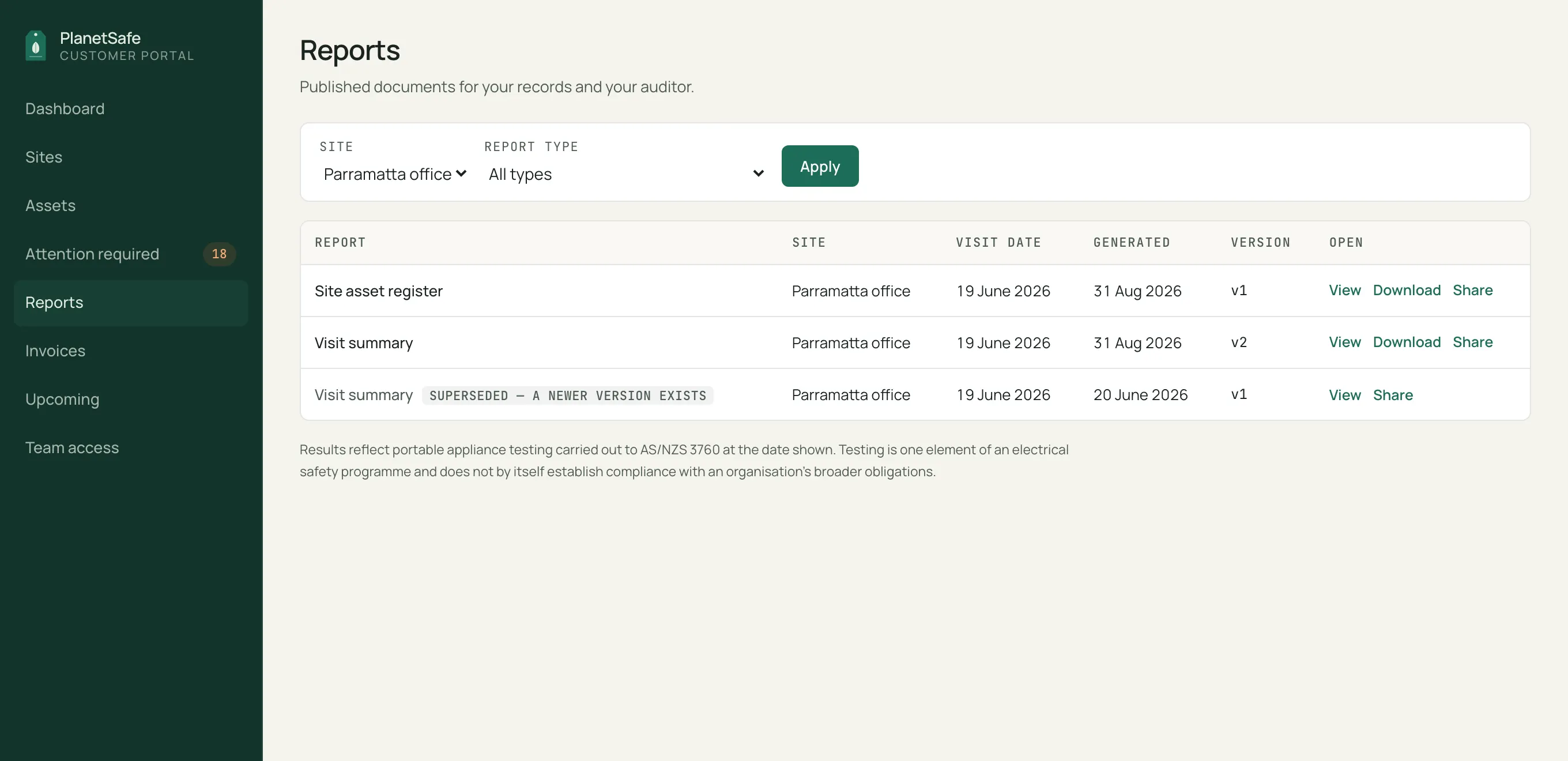
PlanetSafe maintains your testing records digitally as part of the service. Sign in to see every published report and the records behind it: each tested asset with its test history, failed items and the actions recorded against them, and upcoming recorded test dates, alongside your invoices. Reports can be viewed in the browser, downloaded as a PDF, or shared with an auditor or insurer through a secure expiring link you can revoke. Access is controlled by your admin: team members get the role and sites they need, nothing more.
- View, download and share published reports
- Asset records with full test history
- Failed items and recorded actions
- Upcoming recorded test dates
- Invoices
- Role- and site-based team access

Digital asset register vs a test and tag log book.
A tag, log book or spreadsheet can hold testing records, and for a handful of items that may be enough. Once you're managing hundreds of assets or more than one location, a structured digital register keeps every record traceable to its item, location and history.
| Dimension | Paper log book | PlanetSafe digital record |
|---|---|---|
| Finding one asset’s history | Page by page | Searchable by item and location |
| Failed items | Mixed through the entries | Identified separately, with recorded actions |
| Next test dates | Manual scanning | Recorded against each item |
| Multiple sites | One book per site | Grouped, with authorised cross-site visibility |
| Sharing with an auditor | Photocopy or scan | Download, or a secure share link |
What makes test and tag reporting easier to audit?
There is no single statutory test-and-tag report template across Australia. Regulatory record requirements are narrower than many commercial reporting formats and can vary by jurisdiction and work environment.
For audit and internal review, PlanetSafe keeps the pieces together: the site-level record, each asset's results and history, failed-item records, and the next recorded test dates. If your organisation needs a particular file format or data handover, raise it during scoping so it's confirmed before work begins.
For the regulator-sourced breakdown of minimum records, useful additional fields and retention, see the audit-ready test and tag reporting guide →
Reporting questions.
PlanetSafe provides a digital compliance record and structured asset-level reporting. If your organisation needs a specific file format or system handover, confirm that requirement during scoping.
Yes, by site, building, campus, centre or department, whatever matches how you’re audited.
Yes. Failed items are identified separately in the reporting so the item, failure and action taken remain visible rather than being buried in the full asset list.
PlanetSafe provides a test and tag report and asset-level testing records after every visit — a service record of what was tested and the results. This is different from statutory electrical certificates, which can apply to certain electrical installation work and vary by jurisdiction.
Yes. Published reports can be viewed in the customer portal, downloaded as a PDF, and shared through a secure expiring link that you can revoke at any time.
Sustainability evidence is documented separately — PlanetSafe's biodegradable tag material, and the evidence behind it, is on the sustainability page.
Last updated:
See the report before you choose a provider.
The sample on this page is the reporting every PlanetSafe customer receives, from the first visit. If you're comparing providers, our provider-selection guide covers what to ask.